FOR THE WORK YOU’LL COME BACK TO
Pick up where
you left off.
Save where you stopped.
Come back knowing what’s next.

A voice note with a place to begin.
Made for iPhone.
Three thoughts.
One clear return.
Three prompts. Just enough to get you going again.
Say it out loud. Or type it.
The next step is yours.
redesign.
“I’m refreshing my portfolio website.”
Give your future self the context.A little context.
A running start.
From the moment you stop to the moment you’re back.
Record or type your checkpoint. Three questions keep your context, stopping point and next step together.
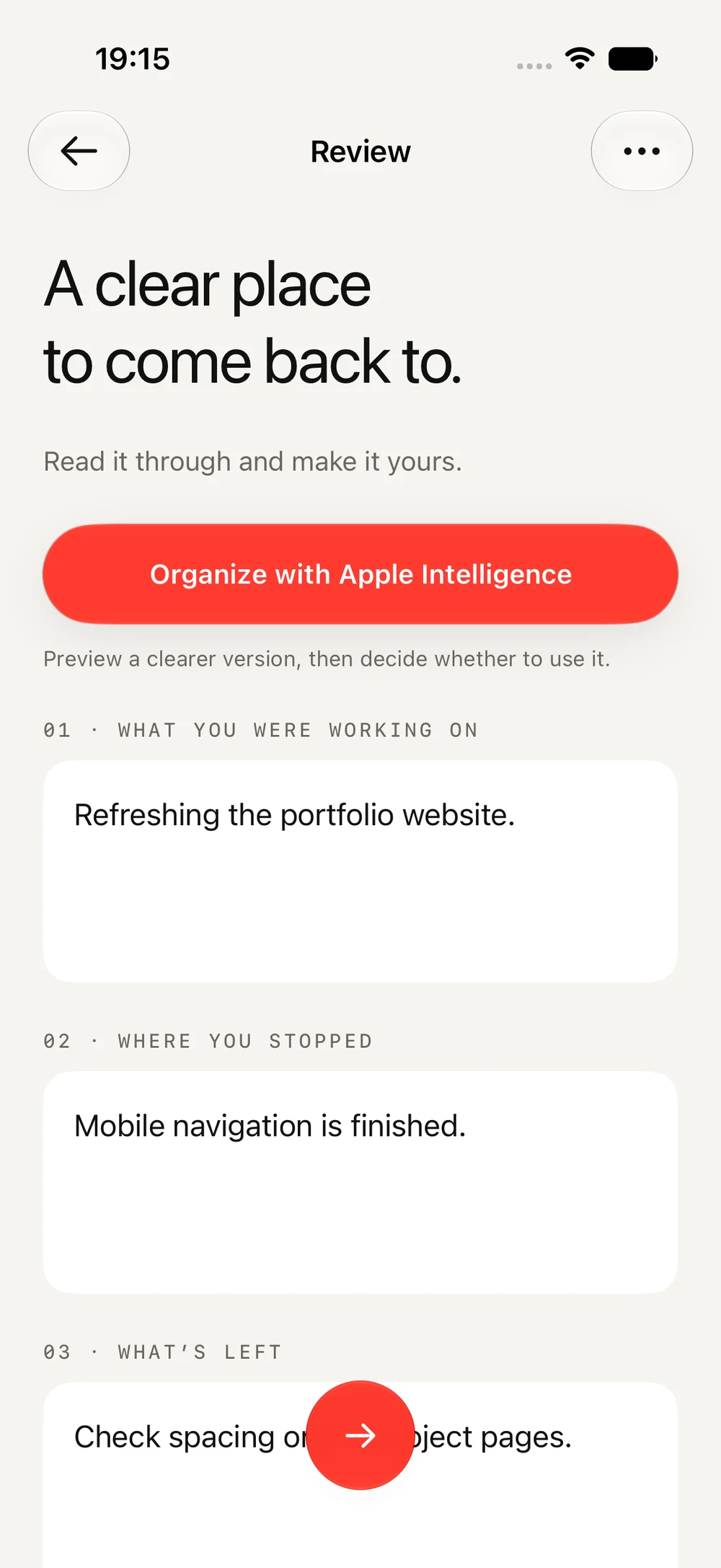
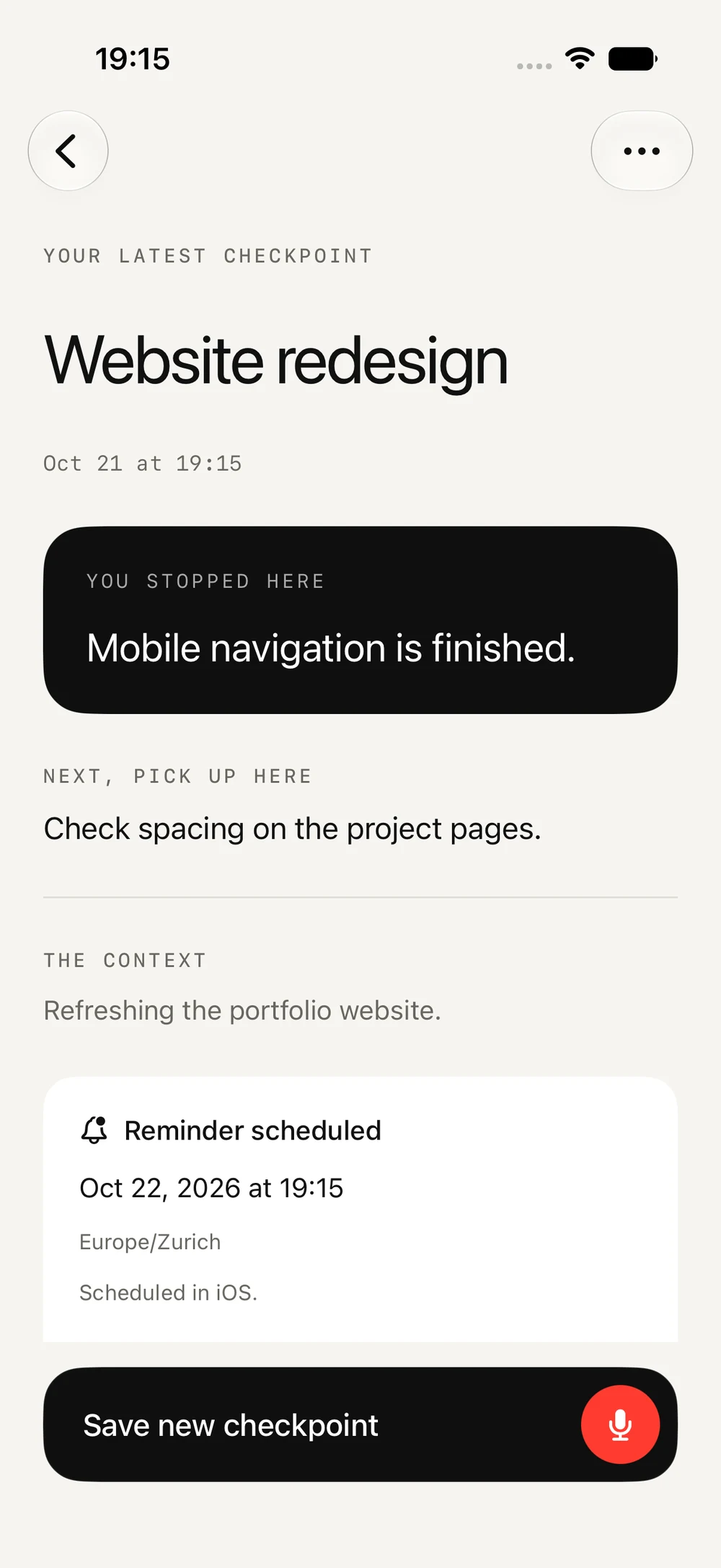
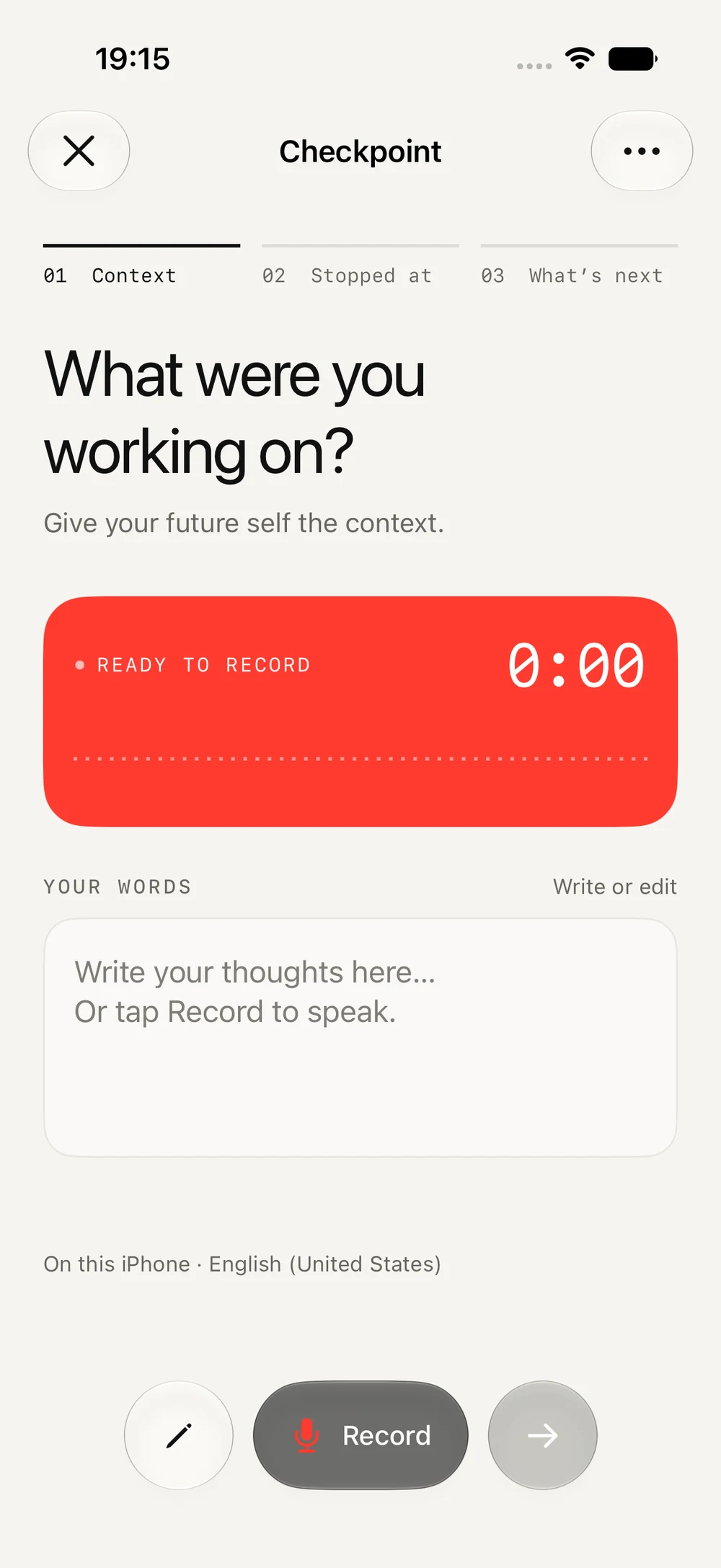
An illustrative checkpoint. Tap to flip.
Website redesign. Next step: Check spacing on the project pages.
Your task moves on.
Your place moves with it.
Save the next checkpoint to the same task. Keep your latest next step close, and your earlier checkpoints available.
See the resume screenGood to know.
Can I type instead of recording?
Yes. Write or edit each of the three parts of your checkpoint. Use your voice when it’s easier, or type when you’d rather stay quiet.
Can I continue an existing task?
Yes. Save to a new task or choose an existing one. Adding a checkpoint keeps the same task and preserves its earlier checkpoints.
Do I have to set a reminder?
No. Choose a return time if it helps, or leave the task open until you’re ready to continue.
Which iPhones will it support?
Checkpoint is being developed for Apple Intelligence capable iPhones running iOS 27 or later. Speech and organization availability depend on device, language, and model readiness.
When can I download Checkpoint?
The Checkpoint beta is available now on TestFlight. Get the beta for iPhone (opens in a new tab) to try it and share your feedback.
AVAILABLE ON TESTFLIGHT
Your next step.
Waiting right here.
Available now for iPhone.
Try the beta and share your feedback.